How Gemini Image Prompts Work
Gemini’s image model, widely nicknamed Nano Banana, responds well to natural, conversational language. You don’t need keyword lists or special symbols. Describe the image the way you would to a person, then refine it with follow-up messages.
Two things make Gemini different from many other tools:
- It’s conversational. You can generate an image, then say “make the light warmer” or “remove the car on the left” and it will adjust the same picture.
- It can work from your own photos. Upload an image and ask Gemini to edit, restyle or restore it.
The Gemini Image Prompt Formula
Build your prompt from these parts, in roughly this order:
- Subject: who or what the image is about.
- Action or pose: what the subject is doing.
- Setting: location, time of day, weather.
- Style: photo, watercolor, 3D render, poster, concept art.
- Lighting and camera: soft window light, golden hour, 35mm lens, overhead view.
- Mood and details: colors, textures, anything that must be included.
Example: A street vendor grilling skewers at a night market, steam rising, warm lantern light, documentary photography, 35mm lens, shallow depth of field, energetic mood.
12 Gemini Image Prompts to Copy and Paste
Photorealistic Prompts
1. Window Light Portrait
Prompt: A natural portrait of a woman in her early 30s sitting by a large window on an overcast morning. Soft diffused light on her face, natural skin texture with visible pores, loose dark hair, wearing a cream knit sweater. 85mm lens, shallow depth of field, calm expression.

2. Night Market Scene
Prompt: A busy night food market in Southeast Asia, a vendor grilling skewers over charcoal with steam and smoke rising. Warm lantern light, neon signs in the background, crowd blurred in motion, documentary photography, 35mm lens, vibrant and energetic.

3. Marble Product Photo
Prompt: A glass perfume bottle on a white marble surface beside a single green leaf. Soft window light from the left, gentle shadow, clean luxury product photography, neutral beige background, sharp focus on the label area.

4. Desert Dunes at Sunrise
Prompt: Rolling sand dunes at sunrise with sharp ridgelines and long shadows, a lone traveler with a backpack walking along the crest. Warm orange and deep blue tones, wide-angle landscape photography, fine sand texture, quiet and vast mood.

Photo Editing Prompts (Upload an Image First)
These work with a photo you upload. The key is to tell Gemini exactly what to keep.
5. Change the Background
Prompt: Change the background of this photo to a sunlit botanical greenhouse with large leafy plants. Keep the person’s face, pose, clothing and lighting exactly the same.

6. Day to Blue Hour
Prompt: Turn this daytime photo into a blue hour evening scene, with warm lights glowing in the windows and a deep blue sky. Keep the composition and every object in the same position.

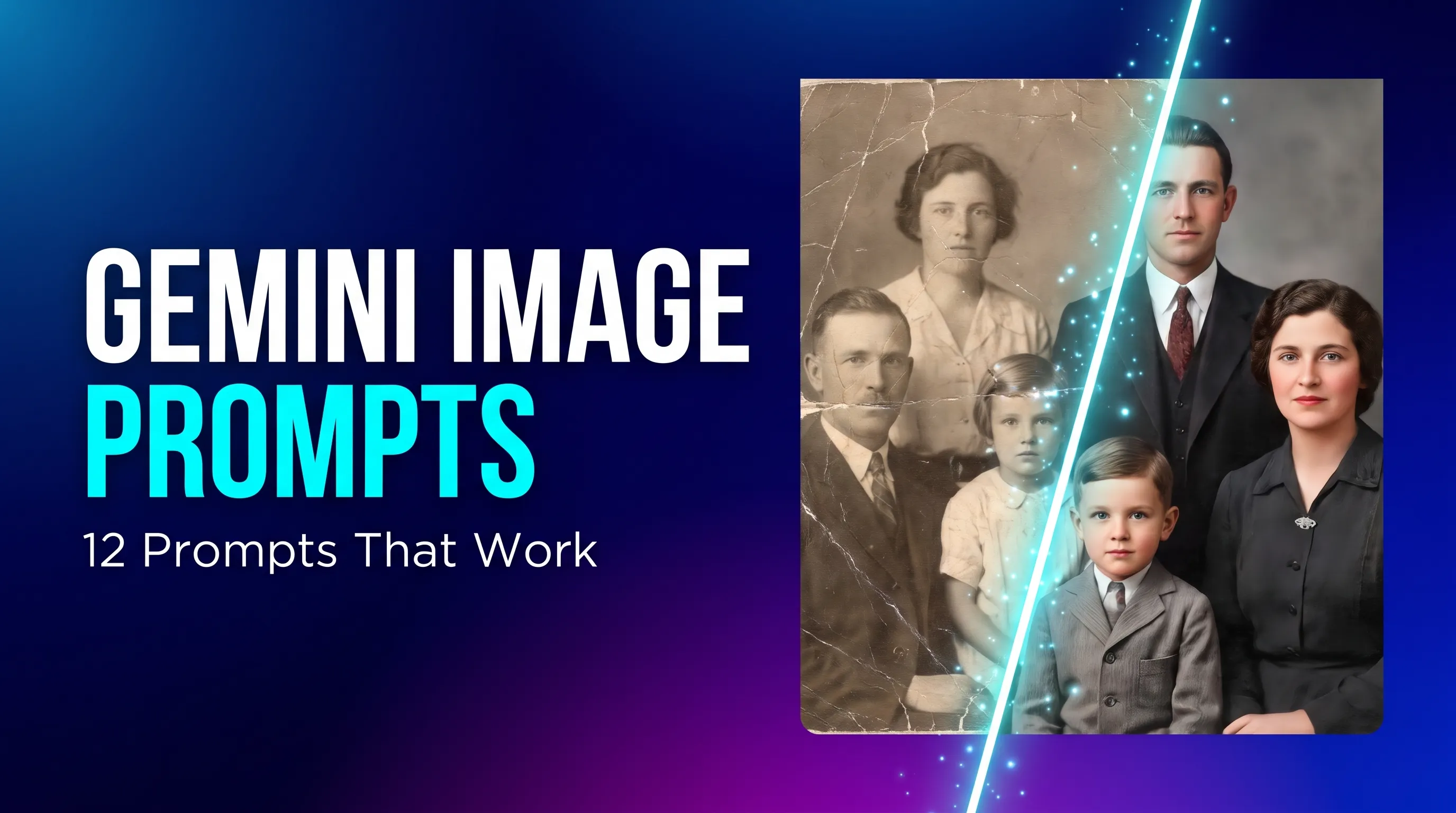
7. Restore an Old Photo
Prompt: Restore this old photograph: remove scratches, creases and fading, gently sharpen the faces, and correct the tones. Keep every person looking exactly like the original, and do not change clothing or background.
Tip: A clean, glare-free scan gives Gemini less room to invent details.

8. Colorize a Black and White Photo
Prompt: Colorize this black and white photo with natural, period-appropriate colors and realistic skin tones. Keep the original film grain and do not alter anyone’s features.

Posters, Text and Creative Styles
9. Poster With Exact Text
Prompt: A vertical poster for a weekend food festival with the exact headline “SUNDAY MARKET” in bold cream lettering at the top. Illustrated fruit and vegetables in a flat, colorful style, deep green background, clean layout with plenty of space around the text.
Tip: Put the exact words you want in quotation marks and keep them short.

10. Miniature Figurine Scene
Prompt: A tiny collectible figurine of a hiker standing on a desk next to a laptop, photographed in macro. Soft studio light, shallow depth of field, glossy painted details, realistic scale contrast with everyday objects.

11. Watercolor Illustration
Prompt: A watercolor illustration of a small seaside village in the morning, whitewashed houses with blue doors, boats in the harbor. Loose brush strokes, soft color bleeds, visible paper texture, light pastel palette, peaceful mood.

12. Sci-Fi Concept Art
Prompt: A massive research station floating above a gas giant, small ships docking at its rings. Cool blue and amber lighting, dramatic scale, detailed hard-surface design, cinematic concept art, wide establishing shot.

Tips for Better Gemini Images
- Tell Gemini what to keep. For edits, always list what must not change: faces, pose, clothing, layout.
- Edit in steps. Make one change at a time instead of asking for five at once.
- Be exact about text. Use quotation marks, keep the wording short and check the spelling in the result.
- Ask for a format. Mention square, wide landscape or tall vertical if the shape matters.
- Follow up instead of starting over. If an image is close, describe the one thing to fix.
- Use real photography terms. Words like “85mm lens,” “golden hour” and “shallow depth of field” give a clear look.
Frequently Asked Questions
What is the best Gemini prompt for image generation? There isn’t one prompt, but the best ones name the subject, setting, style, lighting and mood. Use the formula above and adjust the details.
Can Gemini edit my own photos? Yes. Upload an image and describe the change, and be specific about what should stay the same.
What are Nano Banana prompts? Nano Banana is the popular nickname for Gemini’s image model, so Nano Banana prompts are simply prompts written for Gemini’s image generation and editing.
Do these Gemini photo prompts work in ChatGPT? Mostly, yes. The wording is plain language, so you can reuse it in other tools and adjust if the result looks different.
Find More Gemini Image Prompts
Want to see what these prompts can produce? Browse thousands of AI images and their prompts in the Elevato gallery, filter by style or subject, and copy the ones you like.